How to create a service charge account
Set up an online resident account so you can view statements, track your balance, and pay your service charge from any device.
Step 1: Find your account reference
Before you start, you'll need your unique account reference. You can find this in the top-right corner of any paper or emailed service charge statement.
It looks like "SC-0000-0000". Keep it handy — you'll enter it during registration so we can link your account to your property.
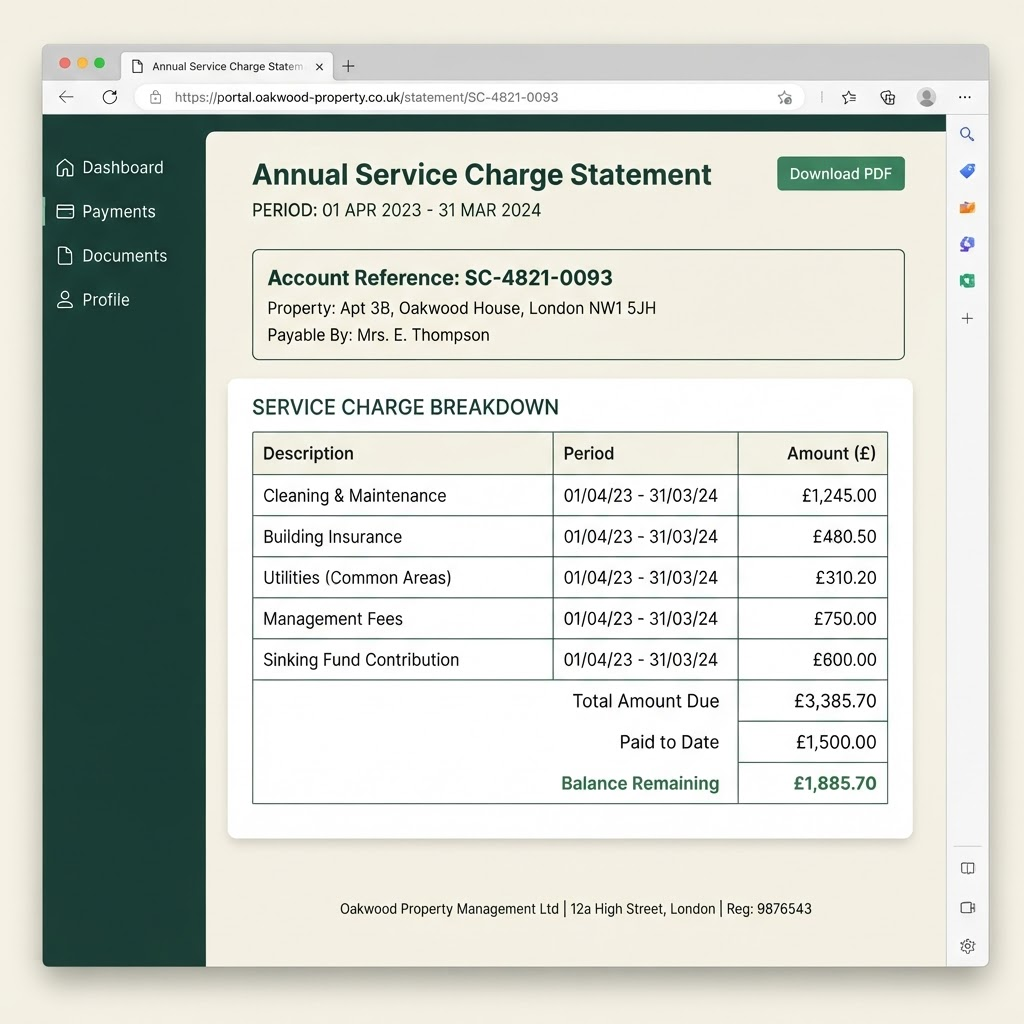
Your account reference is highlighted near the top of your statement. Step 2: Open the resident portal
Registration happens on the Hanwood Park resident portal, which is a separate secure website. Select the button below to open it in a new tab, then come back here to follow the remaining steps.
Open the resident portalThe portal opens in a new tab. Leave this guide open so you can refer back to it.
Step 3: Complete the registration form
On the portal, select "Create your account" and fill in the form. Use an email address you check regularly — this becomes your login and where we send statements.
Enter the account reference you found in step 1 exactly as it appears, then choose a strong password.
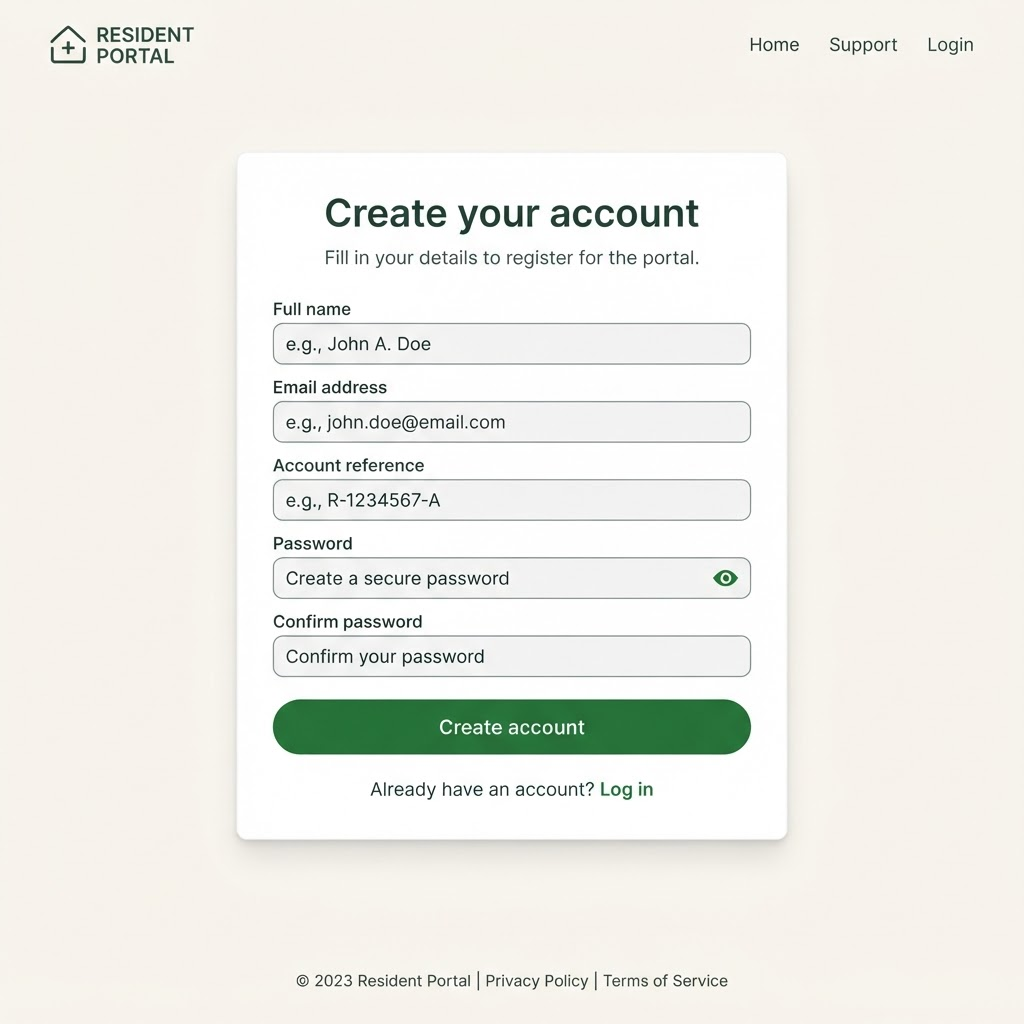
Enter your details and account reference, then select "Create account". Step 4: Verify your email address
We'll send a verification link to the email address you provided. Open your inbox and select the link to confirm your account.
If it hasn't arrived within a few minutes, check your spam or junk folder. The link is valid for 24 hours.
Step 5: Log in and check your dashboard
Once verified, log in to the portal. Your dashboard shows your linked property, current service charge balance, and recent statements.
If your property isn't linked automatically, select "Link a property" and re-enter your account reference.
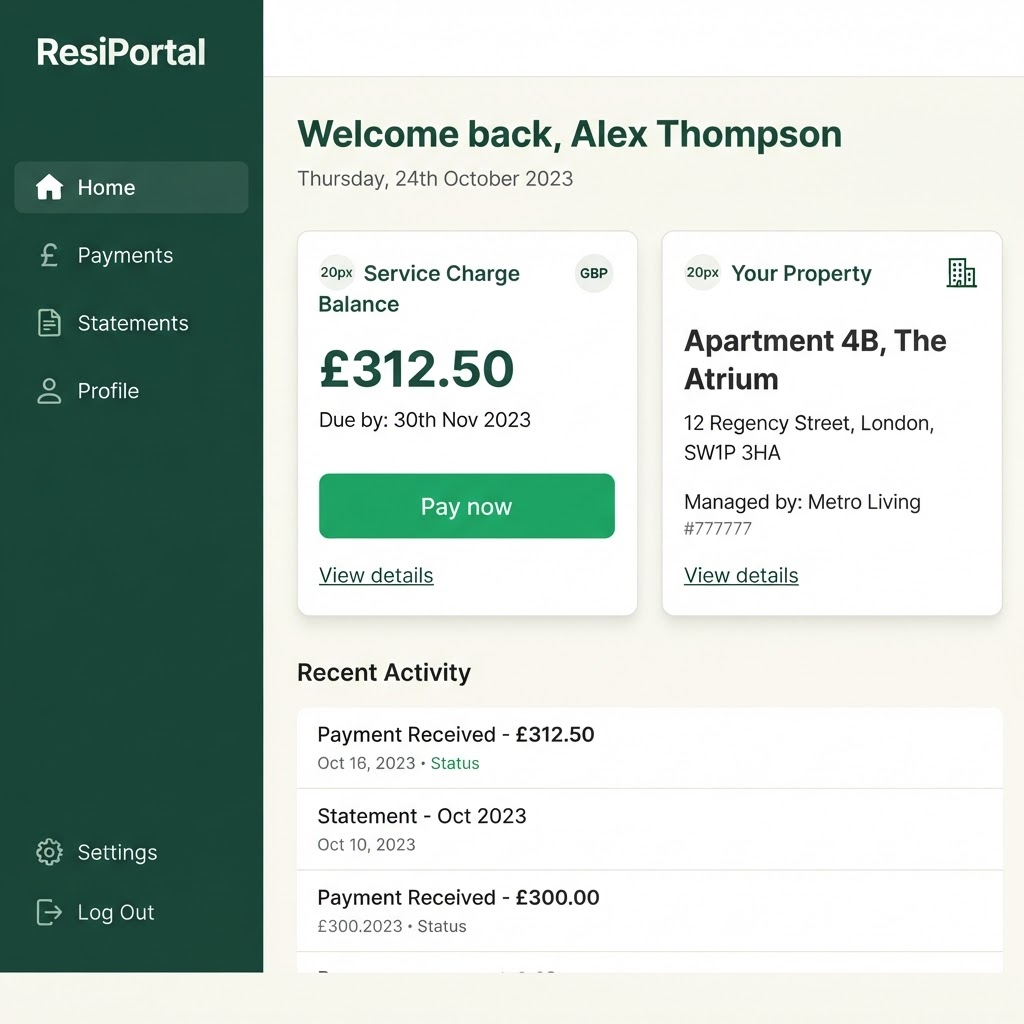
Your dashboard is the home for statements, balances, and payments.
Next steps
Now that you're set up, here's what many residents do next.
How to pay your service charge
Pay your service charge balance online in a few minutes using a debit or credit card through the resident portal.